








TNPSC CTS Field Assistant hall ticket 2026: The Tamil Nadu Public Service Commission (TNPSC) has released the Combined Technical Services (CTS) Hall Ticket 2026 for candidates appearing for the Field Assistant recruitment process under the Diploma Level-II examination. Candidates who have applied for the post can now access and download their admit cards through the commission’s official website, tnpsc.gov.in.The hall ticket is an important document for candidates participating in the next stage of the selection process. Applicants will have to log in using their Application Number and Date of Birth to retrieve their admit cards. They are advised to download the document well in advance and verify all the details mentioned on it to avoid last-minute difficulties.According to the examination schedule, the Physical Fitness Test for the Field Assistant post will be conducted from November 11 to November 14, 2026. Candidates should take note of the examination dates and make the necessary arrangements to report for the test as per the instructions issued by the commission.
TNPSC CTS Field Assistant hall ticket 2026: Steps to download admit card
Candidates can follow the steps given below to download their TNPSC CTS Hall Ticket 2026:
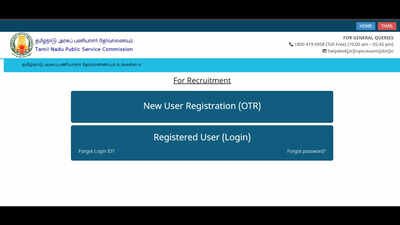
- Visit the official website of the Tamil Nadu Public Service Commission at tnpsc.gov.in.
- Navigate to the examination-related section or the hall ticket download link available on the homepage.
- Select the link for the Combined Technical Services Examination (Diploma Level)-II Field Assistant hall ticket.
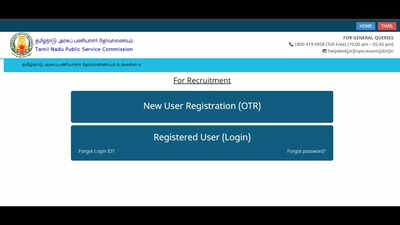
- Enter your Application Number and Date of Birth in the designated login fields.
- Submit the details to access the admit card.
- The TNPSC CTS Field Assistant Hall Ticket 2026 will appear on the screen.
- Download the PDF and take a printout for future reference.
Alternatively, candidates can click on the link provided here to download the TNPSC CTS Field Assistant hall ticket 2026.
TNPSC CTS admit card: Details to check
After downloading the hall ticket, candidates should carefully examine the information printed on it. Any discrepancy in the personal or examination-related details should be brought to the commission’s attention through the appropriate official channel.Candidates should verify their name, application number, examination name, post applied for and other particulars mentioned on the admit card. They should also read the instructions provided in the document, particularly those concerning the Physical Fitness Test.Candidates are advised to stay tuned to the official website to get the complete details of the TNPSC CTS recruitment 2026.